Still Tracking Leads in Excel? Here's What You're Losing
71% of Indian SMBs still use spreadsheets for leads. Find out what it costs you in missed follow-ups, lost deals, and wasted hours.

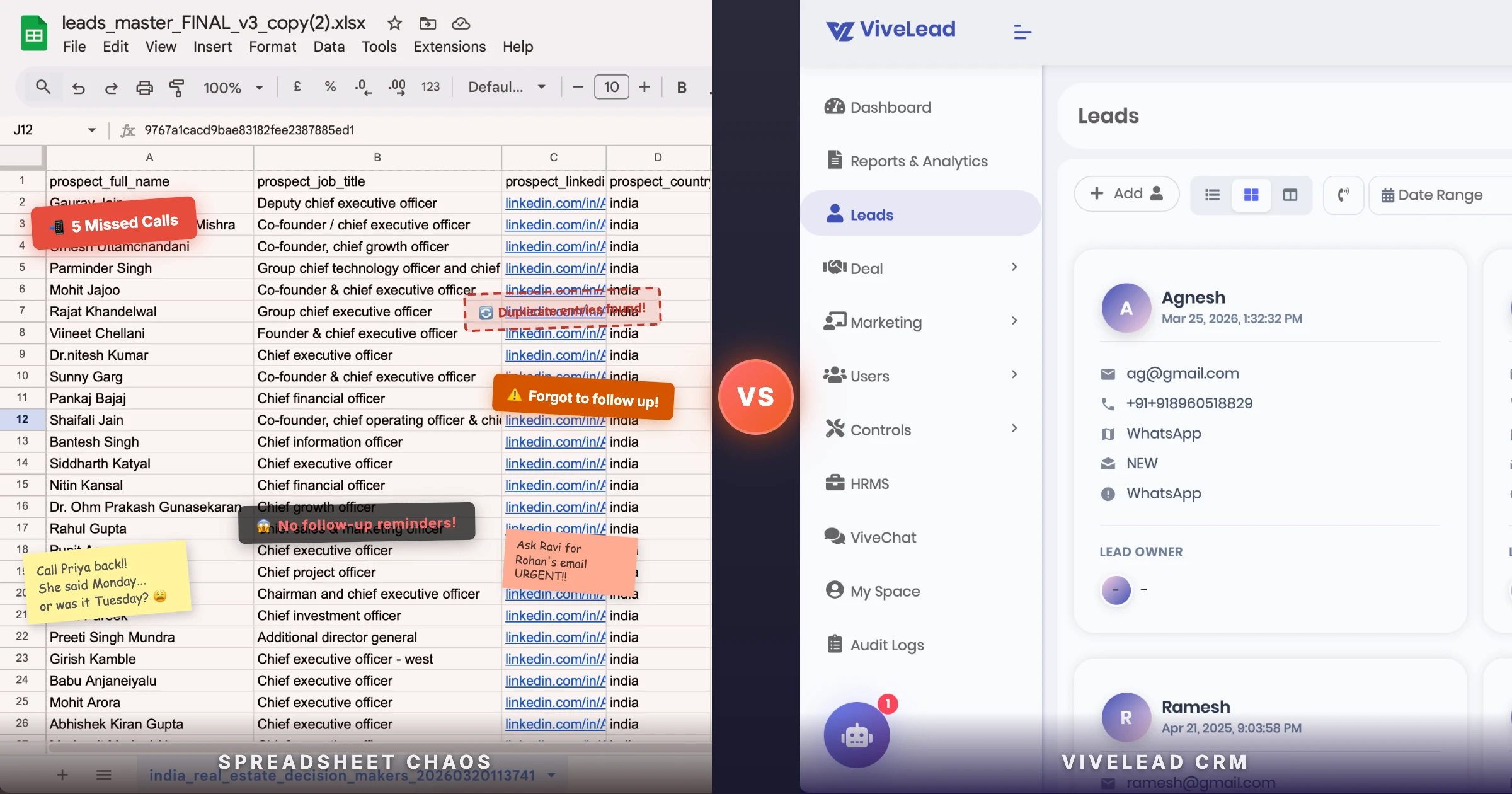
You built your business from scratch. You tracked your first 10 customers in an Excel sheet. It worked.
Then you hired a second salesperson. Added a few columns. Color-coded hot leads in red, follow-ups in yellow. Created a filter for “source” so you know which leads came from JustDial.
Now you have 80 leads per month across three reps. Your Excel sheet has 26 columns, 8 color codes, and nobody follows the format you set up.
Sound familiar?
You’re not alone. According to a Zoho survey of Indian MSMEs, 71% of businesses still use spreadsheets for managing customer information, even those who already have CRM tools running alongside.
This post is for you. Not to sell you software, but to show you exactly where Excel breaks and what it’s costing you.
Excel Works. Until It Doesn’t.
Let’s be honest. Excel is a great tool. For accounting, inventory, budgeting, reporting. It was never designed to manage sales leads, and that’s where the problems begin.
Here’s when it starts breaking:
Under 30 leads/month, 1-2 reps: Excel is fine
You can see everything on one screen. You remember the conversations. Follow-ups are manageable because you’re doing them yourself.
50-100 leads/month, 2-3 reps: Cracks appear
Duplicate entries show up. Follow-ups get missed because nobody set a reminder. Your sheet has so many columns that reps scroll sideways more than they scroll down. Formatting breaks every week because someone pasted data wrong.
100+ leads/month, 3+ reps: You’re losing money
At this volume, even a conservative 10% lead leakage rate means you’re losing 10+ leads every month. If your average deal size is Rs 20,000, that’s Rs 2 lakh per month walking out the door.
500+ leads/month: The sheet is a liability
If you’re running IndiaMART or JustDial subscriptions and getting this kind of volume, your Excel sheet is actively working against you. Leads come in by SMS and email notification. Someone copies the number to Excel. By the time your rep calls back, the buyer already talked to 5 other suppliers who responded faster.
The 5 Things Excel Can’t Do (That Cost You Deals)
1. It can’t remind your team to follow up
This is the single biggest deal killer. Research from MIT shows that contacting a lead within 5 minutes makes you 21x more likely to qualify them compared to waiting 30 minutes. Another study found that 78% of customers buy from the company that responds first.
What happens with Excel? Your rep opens the sheet in the morning, scans through rows, decides who to call based on gut feeling, and skips the lead from 3 days ago because they forgot about it.
No reminders. No alerts. No escalation when a lead goes untouched for 48 hours.
A CRM sends automatic reminders. “Call this lead back, it’s been 24 hours.” “This hot lead hasn’t been contacted yet.” Your reps don’t need to remember anything.
2. It can’t capture leads automatically
Where do your leads come from? Website forms. WhatsApp messages. Facebook ads. Google ads. Phone calls. Walk-ins. IndiaMART. JustDial.
With Excel, someone has to manually copy each lead’s details into the sheet. Every single time. For every single source.
Here’s what actually happens:
- A WhatsApp message comes in at 9 PM. It gets buried under group messages. Nobody logs it.
- A Facebook lead ad generates 15 enquiries over the weekend. The marketing person forwards them on Monday. Some get entered, some don’t.
- A walk-in visits your office. The receptionist writes the name on paper. The paper gets lost.
40% of salespeople still use informal methods like spreadsheets and email to store customer data (HubSpot, 2024). “Informal” is the right word. It means scattered, incomplete, and unreliable.
A CRM captures leads from all these sources into one place. Automatically. With source tagging so you know which channel brought them in.
3. It can’t tell you what your team is actually doing
Your sales manager asks: “Did you call that Jaipur lead?”
The rep says: “Yes, no answer.”
How do you verify? You can’t. Excel has no call logs, no timestamps, no activity tracking. Your rep could have skipped 30 leads this week and you’d never know until month-end when the numbers look bad.
Sales reps spend only 30% of their time actually selling. The rest goes to admin work, data entry, and meetings (HubSpot research). In an Excel setup, that admin percentage is even higher because everything is manual.
A CRM logs every call, email, and WhatsApp message. You can see which rep contacted how many leads today, who’s idle, and which leads are stuck without activity.
4. It can’t show you your pipeline
Quick: How many deals are you about to close this month? What’s the total value? Which deals are stuck and need attention?
With Excel, answering this requires building pivot tables, applying filters, and probably 30 minutes of formula work. Most sales managers don’t bother. They guess.
A CRM gives you a pipeline view. Drag-and-drop stages. Total deal value per stage. Click on any deal to see the full history. No formulas needed.
5. It can’t scale with your team
You hire a new rep. Now you need to:
- Give them access to the shared Excel file
- Explain the color-coding system
- Hope they don’t accidentally delete a formula
- Figure out version control when two people edit at the same time
And when that rep leaves? Good luck figuring out which leads they were handling and what conversations happened.
A CRM handles all of this. Assign leads to reps. Transfer leads when someone leaves. Onboard new reps in 30 minutes instead of a full day of Excel training.
The Real Cost of Sticking with Excel
Let’s do the math for a typical Indian small business.
Assumptions:
- 5 salespeople
- 150 leads per month
- Average deal value: Rs 15,000
- Average close rate: 10%
Monthly revenue from leads: Rs 2.25 lakh
Now here’s what Excel is costing you:
| Loss Area | How It Happens | Monthly Cost |
|---|---|---|
| Missed follow-ups | 10% leads never get a second call | Rs 22,500 |
| Slow response | Leads go to a competitor who called first | Rs 33,750 |
| Data entry errors | Wrong numbers, duplicates, lost leads | Rs 11,250 |
| Rep idle time | 32% of rep time goes to manual data entry instead of calling | Rs 36,000 (salary wasted) |
| Total estimated loss | Rs 1.03 lakh/month |
A CRM costs Rs 1,500-5,000/month for a 5-person team. You’re losing 20x that amount to spreadsheet inefficiency.
These aren’t made-up numbers. Studies consistently show that companies lose 10-30% of leads annually to leakage (LeanData research). And 32% of sales reps spend over one hour daily on manual data entry (HubSpot/Salesforce research), which adds up to 260 hours per year, or 6.5 work weeks of lost selling time per rep.
“But CRM Is Expensive and Hard to Set Up”
This was true 10 years ago. Salesforce costs Rs 2,000+/user/month, requires a dedicated admin, and takes weeks to configure. That’s not your only option.
Indian CRM tools built for small teams:
| CRM | Price | Best For |
|---|---|---|
| ViveLead | Rs 299/user/month | Small teams wanting CRM + HRMS in one place |
| TeleCRM | Rs 449/user/month | Telecalling-heavy teams |
| Zoho CRM | Rs 800/user/month | Businesses wanting an all-rounder |
| Kylas | Rs 12,999/month (unlimited users) | Teams of 10+ who want flat pricing |
Setup time for most of these: under 1 hour. Import your Excel sheet, invite your team, start tracking.
When You Should NOT Switch to CRM
Honesty matters more than a sale. Don’t switch if:
- You have fewer than 20 leads per month and work alone. Excel or even a notebook is fine. You don’t need software to remember 20 people.
- Your sales process has zero repeat contact. If you sell one-time products with no follow-up needed, a simple contact list works.
- Nobody on your team will actually use it. A CRM only works if your team logs their activity. If you know your reps won’t adopt it, fix the culture first.
How to Move from Excel to CRM (Without Losing Data)
The migration is simpler than you think:
Step 1: Clean your Excel sheet. Remove duplicates, fix phone number formats, delete junk rows. This takes 1-2 hours.
Step 2: Pick a CRM and sign up for a free trial. Don’t pay yet. Test it for a week with real leads.
Step 3: Import your Excel file. Every CRM lets you upload a CSV. Map your columns (name, phone, email, source, status) to CRM fields. Done in 10 minutes.
Step 4: Connect your lead sources. Website form, WhatsApp, Facebook. Most CRMs have one-click integrations for these.
Step 5: Train your team. Show them how to log calls, set follow-up reminders, and move deals through the pipeline. This takes one 30-minute meeting.
Step 6: Stop updating the old Excel sheet. This is the hardest part. Some reps will try to maintain both. Don’t let them. Kill the spreadsheet on Day 1.
Bottom Line
Excel got you here. It won’t get you to the next level.
If you’re getting more than 50 leads per month and have a team of 2+, every month you stay on Excel is money lost to missed follow-ups, slow responses, and zero accountability.
The switch takes less than a day. The cost is less than what you’re already losing.
Try ViveLead free for 14 days and see the difference yourself.
Ready to simplify your business?
Get CRM + HRMS in one platform at affordable pricing