How to Choose a CRM for Small Business India (2026)
Choosing a CRM for small business? Check these 5 factors: budget, features, ease of setup, mobile app, and integrations. Free comparison checklist inside.


Over 300 CRM tools are available in 2025. 47% of small businesses that pick the wrong one abandon it within a year. The right choice saves your team hours every week. The wrong one becomes shelfware.
This guide gives you a clear 5-step process to pick the CRM that fits your business, not the one with the best marketing.
What to Look for in a CRM
Before comparing tools, get clear on what your business actually needs. Most small businesses need four things from a CRM:
Contact and lead tracking. Every lead, every conversation, every deal stage in one place. No spreadsheets, no sticky notes.
Pipeline visibility. See how much revenue is at each stage. Know which deals need attention today.
Follow-up automation. The system reminds your team who to call and when. Nothing falls through.
Reports without effort. Conversion rates, team performance, and revenue forecast are available without building spreadsheets.
Anything beyond this is a bonus. Don’t pay for features your team won’t use in the first six months.
Step 1: Define What You Actually Need
Write down your current sales process. Where do leads come from? How do they move from inquiry to closed deal? Where do things get dropped?
Common pain points for Indian small businesses:
- WhatsApp leads not tracked anywhere
- Salespeople keeping data in personal phones
- No visibility into pipeline until month-end
- Follow-ups missed when a rep is sick or on leave
- No way to see which marketing channel is converting
Your CRM must solve the specific problems you have. Start with the top two or three, not all of them at once.
Step 2: Set a Realistic Budget
CRM pricing in India ranges from free to Rs 5,000+ per user per month. Here’s how to think about it:
Rs 0 (free plans): HubSpot and Zoho have free tiers. Very limited. Fine for solo founders testing the concept, not for a sales team.
Rs 499-500/user/month: This is the sweet spot for Indian SMBs. You get full lead management, pipeline, automation, and mobile app. ViveLead starts at Rs 499/user.
Rs 1,000-2,500/user/month: Freshsales, Zoho Professional. More features, more complexity. Justified if you have 20+ users with advanced needs.
Rs 3,000+/user/month: Salesforce, HubSpot paid. Built for enterprise. Overkill for most small businesses and requires a dedicated admin to manage.
Calculate the total cost: subscription + onboarding + any integration fees. Factor in 2-3 hours of team training time as well.
Step 3: Check These 4 Features Before Anything Else
Contact Management
Every contact should have a full history: calls, emails, WhatsApp messages, deals, and notes. When a sales rep is on leave, anyone on the team should be able to pick up exactly where they left off.
What to test: Create a contact, log a call, add a note. Can you see the full timeline in one view?
Sales Pipeline
You need to see every deal by stage: New, Contacted, Demo Done, Proposal Sent, Closed. Drag and drop between stages. Filter by rep, by value, by date.
What to test: Create three deals at different stages. Does the pipeline view make sense at a glance?
Automated Follow-ups
Set a follow-up cadence once. The CRM sends reminders, schedules calls, nudges the rep. Without this, follow-ups depend entirely on individual discipline, and that breaks down.
What to test: Set a follow-up for 3 days after a contact is created. Does the reminder actually fire?
Mobile App
81% of Indian sales teams work from their phones. The mobile app must be fully functional, not a stripped-down view. Test it on both Android and iOS.
What to test: Log a call, add a note, and move a deal stage. All from the app.
Step 4: Test Integration with Tools You Already Use
Most small Indian businesses run on a combination of:
- WhatsApp (customer communication)
- Gmail or Outlook (email)
- Facebook and Instagram (lead generation)
- Razorpay or Paytm (payments)
- Tally or Zoho Books (accounting)
Your CRM should connect with at least the first three natively. WhatsApp integration is particularly important. Most Indian CRMs bolt it on as a third-party plugin. ViveLead has it built in.
Check the integration list before committing. A CRM that doesn’t talk to WhatsApp will create parallel workflows that defeat the purpose.
Step 5: Run a Real Trial
Don’t test a CRM with dummy data. Import your actual leads. Run your real pipeline through it for two weeks. Get at least two sales reps to use it daily.
At the end of two weeks, ask:
- Did the team log calls and notes without being forced to?
- Did follow-up reminders actually help?
- Can you see pipeline health in under 30 seconds?
- Did anything break or feel confusing?
If the answer to any of the first three is no, the CRM won’t stick after the trial ends.
Red Flags to Avoid
No free trial. Any serious CRM gives you 14-30 days to test properly. If they won’t let you try before paying, walk away.
No transparent pricing. If you have to talk to sales to get a price, expect a bill much higher than you planned.
Poor mobile app. Download it before committing. If core features are missing on mobile, field teams won’t use it.
Complex setup requiring IT help. A CRM for small business should be live in under an hour. If the vendor talks about “implementation projects,” that’s an enterprise product sold to the wrong customer. ViveLead’s first-day setup takes about 30 minutes.
No WhatsApp integration. For Indian businesses, this is now a basic requirement.
Support only in US timezone. You’ll need help during Indian business hours. Check where the support team is based.
Why ViveLead Fits Indian Small Businesses
Most CRM comparison guides review tools built for Western markets. ViveLead is built specifically for India:
- Starts at Rs 499/user/month. No dollar conversion, no surprise billing.
- CRM + HRMS in one. You don’t need a separate tool for sales and HR.
- WhatsApp built in, not a plugin. Native lead capture and messaging.
- Full mobile app (Android & iOS) for field sales teams.
- Support in IST from a team based in India.
- No hidden setup fees. The pricing page is what you pay.
Businesses using ViveLead report 32% increase in lead conversion within the first 90 days and 40% reduction in admin time.
Choosing a CRM FAQs
Budget, features, setup, and security questions before you buy
Related Reading
- What is CRM?: Complete beginner’s guide
- Best CRM Software in India 2026: Top options compared
- CRM Under Rs 500 in India: Budget CRM options
- CRM vs HRMS: What’s the Difference?: When you need both
- WhatsApp CRM India: CRM with WhatsApp built in
- Compare CRMs: ViveLead vs Salesforce, Zoho, and HubSpot
Find Your Right CRM
CRM from Rs 399/user/month billed yearly (Rs 499 billed quarterly), with an optional HRMS add-on. 7-day free trial after a demo, no credit card needed.
Continue Reading
What Is CRM? Complete Guide 2026 | ViveLead
CRM manages customer relationships & boosts sales by 30%. Learn features, benefits & why 91% of businesses use CRM …
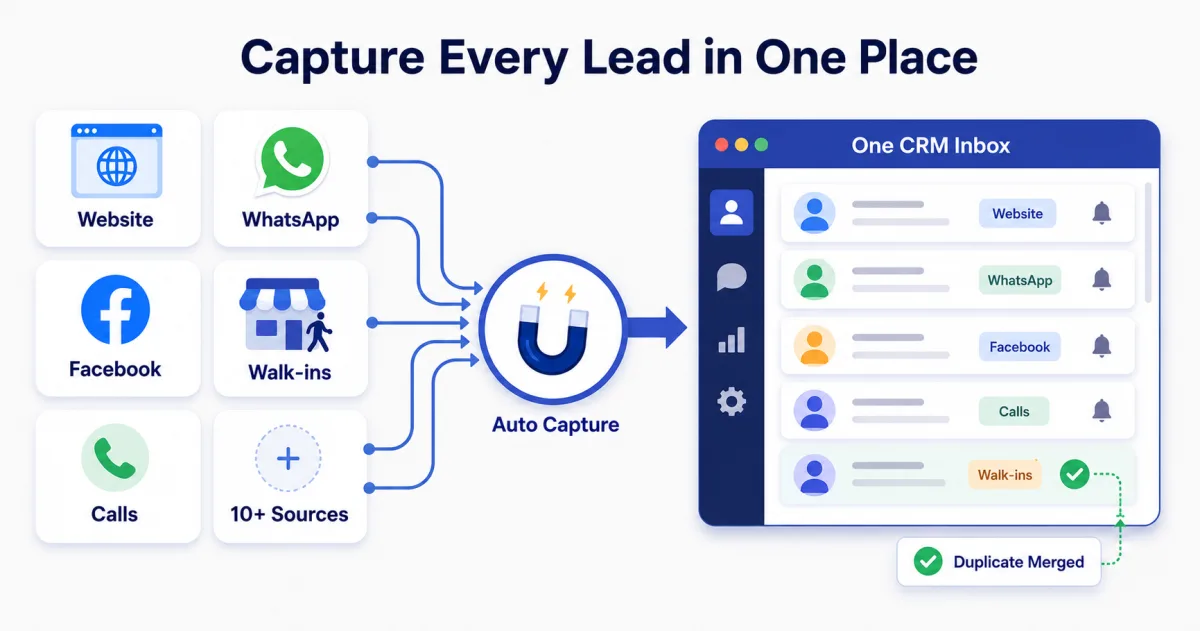
Smart Lead Capture Software India 2026: 10+ Sources, 1 CRM
Capture leads from your website, WhatsApp, Facebook, and walk-ins into one CRM. Auto source tracking, duplicate removal. …
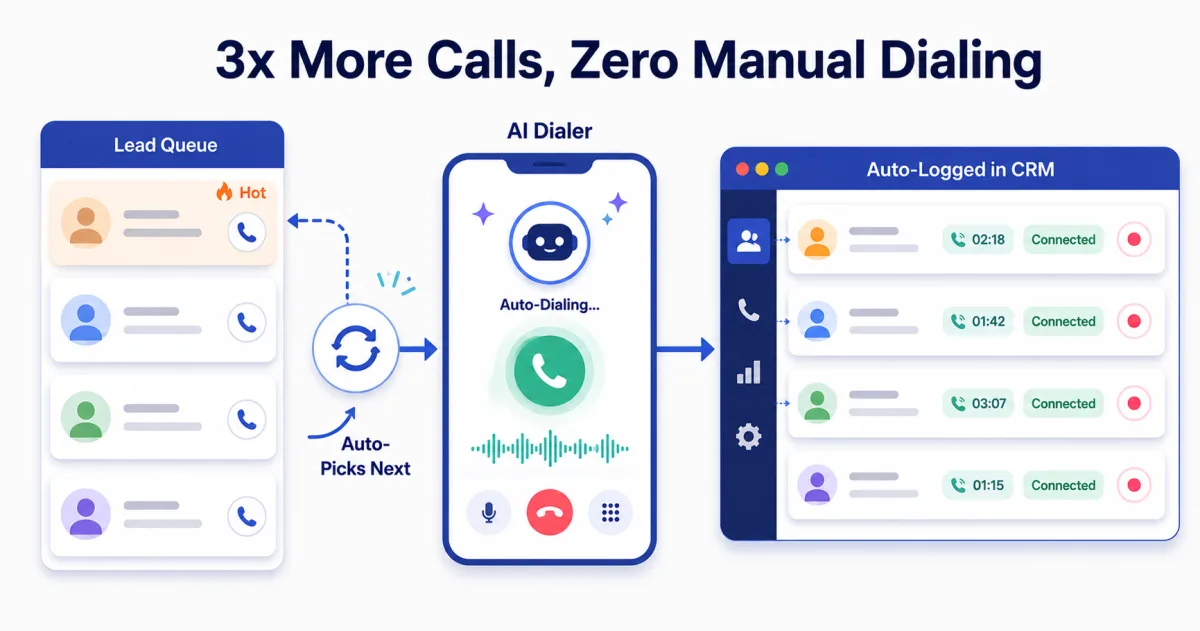
AI Dialer Software Guide 2026: Types, Costs, India Picks
AI dialer software for Indian sales teams: what auto-dialing, AI calling and call logging actually do. ViveLead …