Sync Meta Lead Ads to WhatsApp CRM Natively | ViveLead
Sync Meta lead ads to a WhatsApp CRM the right way: native capture, no BSP markup, own your WABA. India and EdTech admissions guide with published pricing.

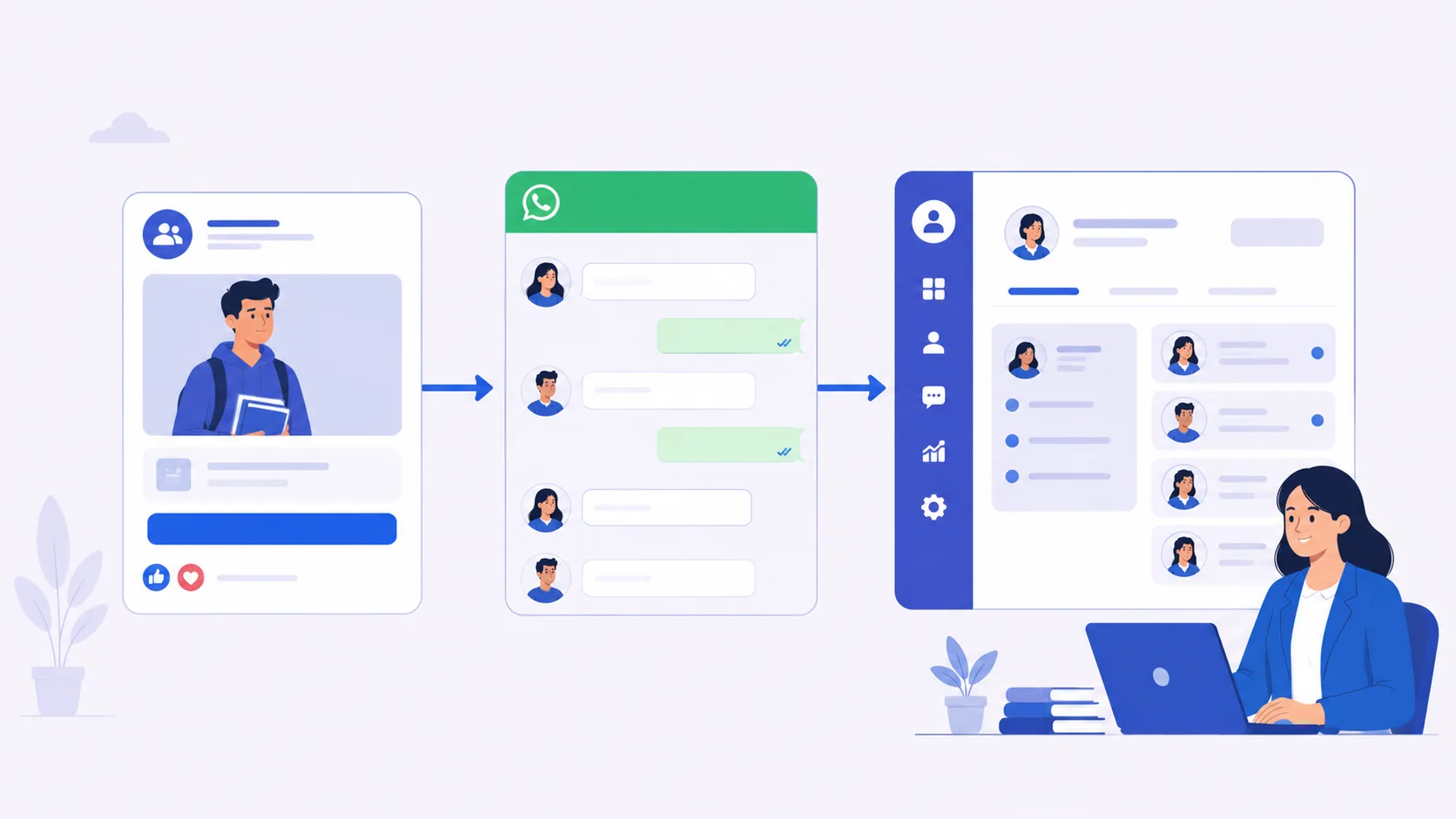
You paid for the leads. The leads came in. And now you are staring at a spend report at 11pm, unable to tell whether the problem is the ad you ran or the follow-up that never happened.
That is the most honest question in this category, and almost nobody answers it cleanly. Open any Quora thread on the topic and you find the exact wording: “Why are my Facebook Lead Ads getting 0 conversions?” and the even more on-point one, “How do you follow up with a lead who filled out your inquiry form but never booked a call?” Both are one fear with two faces. Did I buy bad leads, or did I waste good ones?
This article separates those two failures, because they look identical on a dashboard and have opposite fixes. Then it shows you how to wire a Meta lead ad to an actual WhatsApp conversation the right way, what “native” really means versus the connector chain most tutorials quietly assume, and two things almost every competing tool hides: who actually pays Meta for your WhatsApp messages, and the fact that Meta forgets your lead before your student enrols.
Is the Problem Your Ad, or Your Follow-Up? (Read This First)
The doubt every Meta-lead-ad buyer has at 11pm
Here is the loop. You run a lead-ad campaign, the cost-per-lead looks fine, the form-fills tick up, and then the phone calls go nowhere. The leads do not pick up. The ones who do say they “were just looking.” You start to suspect the whole channel is broken.
The trap is that a spend report cannot tell you why. It shows cost, impressions, clicks, leads. It does not show whether the lead was junk on arrival or went cold sitting in a spreadsheet for two days before anyone called. Two different diseases, same fever.
Two different failures that look identical on a spend report
Failure one is an ad-quality problem. Your targeting, creative, or offer pulls in low-intent or junk form-fills: people who tapped by accident, people who will never pay, sometimes outright bot traffic. No follow-up speed fixes this, because there was never a real buyer behind the form.
Failure two is a follow-up problem. The leads are genuinely interested, but by the time a human reaches them the moment has passed. The student filled three other forms. A competitor called first. Your counsellor meant to call Thursday and Thursday never came. The lead was good. You let it rot.
The fixes are opposite. If it is an ad-quality problem, you change the campaign, not the CRM. If it is a follow-up problem, more ad budget just buys you more leads to waste. The only way to know which you have is to make follow-up so fast and consistent that you can rule it out as the cause. Then whatever still fails is genuinely the ad’s fault, and you can fix the ad with a clear conscience.
What “Sync Meta lead ads to WhatsApp CRM natively” actually solves (and what it does not)
Syncing Meta lead ads to a WhatsApp CRM solves the second problem completely and helps you diagnose the first. When every lead lands in your CRM the instant it is submitted and triggers a WhatsApp message within minutes, follow-up speed stops being a variable. The leads that still go nowhere after a fast, friendly WhatsApp touch are your real signal that the ad needs work.
What it does not do: make a bad ad good. If your campaign attracts the wrong audience, a beautiful WhatsApp template sent in 30 seconds still talks to the wrong person. A lot of tools sell “auto-sync” as if speed alone prints enrolments. It does not. Speed wins the leads that were winnable. This guide is about not losing those, and about seeing clearly which leads were never yours to win.
If you are still deciding whether you even need a CRM for this, start with what a CRM actually is and does, then come back.
Why Your Meta Leads Do Not Pick Up the Phone
“They won’t answer an unknown number”: the behaviour, not a guess
Ask any admissions counsellor in India what happens when they cold-call a fresh Meta lead, and you hear the same sentence: they do not pick up the phone. An unknown number calling out of the blue, mid-workday, gets ignored or cut. This is not a theory about consumer psychology. It is the lived daily experience of every team that runs phone-first follow-up.
The student who filled your form at 9pm is not hostile. They are just not going to answer a random number at 11am the next day while they are in class or at work. The call feels intrusive. They do not know who you are. So they let it ring.
Why a WhatsApp message is the only door the lead will open
The same person who will not answer an unknown call will, very often, open a WhatsApp message. It is quiet. It does not demand they perform a conversation on the spot. They read it, see your institute’s name, glance at the link, and reply when they have a free minute. WhatsApp is not a channel preference here. It is the only door the lead is willing to open.
That changes what you build. You are not choosing WhatsApp because it is trendy. You are choosing it because a phone call is a closed door and a WhatsApp message is an open one. Syncing your Meta lead ad to a WhatsApp CRM is about making sure that open door gets a knock while the visitor is still standing there. We go deep on the channel in our WhatsApp CRM buyer’s guide.
The first-few-minutes window: interest decays fast
Intent is perishable. The moment someone submits a lead form, they are as warm as they will ever be, thinking about your course, your fees, your city, right then. Every hour that passes, that thought gets buried under the rest of their life. By tomorrow morning they may not even remember which of the five forms they filled was yours.
This is why “we call our leads every evening” loses to “we message every lead in five minutes.” It is not about working harder. It is about catching the lead inside the window where they still care, before a competitor does and before the memory fades.
What the data actually says about speed (the 5-minute rule, cited)
The cleanest independent number on this comes from the Lead Response Management study led by Dr. James Oldroyd at MIT Sloan with InsideSales.com, later popularised by Harvard Business Review. It found you are roughly 21 times more likely to qualify a lead contacted within 5 minutes than one contacted after 30 minutes. Twenty-one times. Not 21 percent better. Twenty-one times more likely.
A note on honesty, because this category is full of inflated numbers. You will see vendor blogs throw around “98 percent open rate,” “2.5x more enrolments,” and “97 percent check WhatsApp daily.” Those are vendor claims, not neutral research, and we will not repeat them as fact. The 5-minute finding is the one we lean on because it comes from an academic study, not a sales deck. When someone quotes a suspiciously round conversion lift, ask where it came from; if the answer is “our own blog,” weigh it accordingly.
The mechanical takeaway: speed is not a nice-to-have. It is the largest controllable lever you have on lead quality, and it is the exact lever that copy-pasting names into WhatsApp Web by hand destroys.
How a Meta (Facebook) Lead Ad Actually Works in India
Instant form (lead form) vs Click-to-WhatsApp (CTWA): the real difference
Every page on this topic name-drops “instant form versus Click-to-WhatsApp” and then moves on as if you already know which to pick. Here is the part they skip.
A Meta instant form (also called a lead form) opens inside Facebook or Instagram when someone taps your ad. Name, phone, email, and custom questions like course or city pre-fill from the user’s profile where possible. They tap submit, and Meta captures the lead. The strength is structured, clean data you can route and report on. The weakness is that it is still a form, forms get abandoned, and the lead then has to be contacted somewhere else.
A Click-to-WhatsApp ad (CTWA) skips the form. The user taps and a WhatsApp chat opens instantly, often with a pre-filled first message. Nothing to abandon, because there is no form. The conversation is the lead. The strength is immediacy and zero friction. The weakness is that the data arrives as a chat, less structured, and you need a system to capture and tag it as a real lead rather than just another message in an inbox.
The roughly 30 percent instant-form drop-off Indian agencies report
Forms leak. Indian performance agencies commonly report that a meaningful share of people who start a Meta instant form never complete it, with figures often cited around 30 percent. Treat that as a directional agency benchmark, not a law of physics, because it swings hard by audience, offer, and field count. Every extra field is friction, and friction is drop-off. If you run instant forms, ask for the minimum you genuinely need to route and follow up, nothing more.
Where the lead physically “lives” the moment they submit
This detail decides everything downstream. The instant someone submits a Meta instant form, the lead lives inside Meta: your Instant Forms area in Meta Business Suite, or the ad level in Ads Manager. It does not appear in your CRM by magic. Somebody, or something, has to move it. If that something is a person downloading a CSV once a day, you have already lost the speed race. If it is an automated pipe into your CRM, you are in the game. Hold this fact, because the 90-day trap below turns it into a far bigger problem than slow follow-up.
For a CTWA ad, the lead lives in your WhatsApp inbox from the first tap. Better for speed, but only if that inbox feeds a system that records the lead, tags the source, and assigns an owner, instead of a free-for-all where messages get read and forgotten.
Cost-per-lead reality for EdTech in India (Rs 180 to Rs 400, hedged)
You cannot judge whether a lead is “expensive” without a benchmark, so here is a hedged one. Indian agencies running EdTech and higher-education campaigns commonly report cost per lead in roughly the Rs 180 to Rs 400 range. That band is wide on purpose. It moves with the course (a Rs 2 lakh study-abroad programme behaves nothing like a Rs 8,000 spoken-English class), the city, the season relative to admission deadlines, and the creative.
Do not anchor on a number from someone else’s account. Your real benchmark is your own cost per enrolled student, not cost per lead, and you only get that if every lead carries its source from the moment it is created. A Rs 5 lead is almost never a bargain, and the next section explains exactly why.
The Gap Where Leads Die: From Ads Manager to a Conversation
“Copy-pasting names into WhatsApp Web, one by one”: the manual reality
Here is what the gap actually looks like on a Tuesday. A counsellor opens Meta Business Suite, sees yesterday’s instant-form leads, and starts copying. Name into a sheet. Phone into a sheet. Then over to WhatsApp Web, paste the number, type a greeting, send. Next lead. Paste, type, send. Somewhere around lead fifteen the phone rings, a walk-in arrives, and the remaining thirty leads sit half-processed until tomorrow, by which point they are a day cold.
This is not a hypothetical. “I am copy-pasting names from Ads Manager into a sheet, then into WhatsApp Web one by one, and I forget half of them” is a near-verbatim description of how a huge number of Indian admissions teams operate right now. It is slow, it is error-prone, and it guarantees you lose the speed race on the leads at the bottom of the list. We wrote a whole piece on why managing leads in an Excel sheet quietly bleeds money, and this is the bleeding edge of it.
Lead leakage and lead aging, defined in plain language
Two pieces of jargon worth knowing because they name the exact thing killing your numbers.
Lead leakage is leads entering your world and silently falling out before anyone works them. Not rejected. Not “not interested.” Just lost. Filed in a sheet nobody reopened, sent to a counsellor who was on leave, captured by an ad whose CSV nobody downloaded. The most expensive problem in admissions is silent: leads that entered your pipeline, showed interest, then quietly disappeared.
Lead aging is the slow death of a lead that does get worked, but too late. Every day a lead sits untouched, its conversion odds drop. An aged lead is not gone, it is just worth a fraction of what it was worth on day zero, for the perishable-intent reasons covered earlier.
“I’ll call Thursday” and how it becomes a lost enrollment
The most ordinary sentence in admissions is also the most expensive: “I’ll call Thursday.” The counsellor means it. But between now and Thursday, more leads arrive, a batch starts, a parent escalates, and the prospect who was warm on Monday has moved on by the time Thursday’s call goes out. The lead did not say no. It was never given the chance to say yes, because the follow-up lived in a human’s memory instead of a system’s reminder.
A CRM does not make your counsellor more disciplined. It makes discipline the default. The reminder fires whether or not Thursday is chaos. The automated touch goes out whether or not anyone remembered. That is the entire point. Our demo-to-enrolment playbook lays out the exact cadence that turns “I’ll call Thursday” into a booked demo.
Two counsellors calling the same student: the duplicate-lead credibility killer
Now the failure that actively damages your brand. The same student fills three different agency ads. Inside one agency, that student then gets called by three different counsellors, because the lead came in through three sources and nothing de-duplicated it. The student concludes your team is disorganised, which is a credibility killer at the exact moment they are judging whether to trust you with two years of their education and a lakh of fees.
For study abroad this is brutal. A single high-intent student might be in five agencies’ pipelines and, within one badly run agency, be triple-staffed. The fix is not “tell counsellors to coordinate.” It is a system that recognises a returning phone number, merges the lead, and assigns one owner. We come back to routing and round-robin in the step-by-step section, because solving duplicates is mostly a routing problem.
What “Native” Sync Really Means (and the Connector Tax You Are Paying)
Native CRM webhook vs the “ad to Zapier to BSP to CRM” chain
Almost every how-to tutorial on connecting Meta lead ads to WhatsApp quietly assumes a chain. It usually looks like this: Meta lead ad, then Zapier or LeadsBridge or Make, then a WhatsApp BSP tool, then finally your CRM. Four links. Four bills. Four things that can break. Nobody draws it that way because it does not sell, but that is the architecture hiding behind a lot of “easy integration” guides.
Native means the lead from your Meta ad is captured inside the CRM itself, typically via a webhook, the moment it is submitted. One system receives the lead, records it, tags the source, assigns the owner, and can fire the WhatsApp follow-up. No middle relay. The lead does not transit three vendors before it becomes actionable.
Hidden costs: a connector subscription, a BSP subscription, then your CRM
The connector chain has a name it never admits to: the connector tax. You pay for the connector (Zapier, LeadsBridge, and similar tools bill monthly, often by task volume). You pay for the BSP or WhatsApp tool on top. Then you pay for the CRM that all of this is supposed to feed. Three subscriptions to do one job that, with native capture, is one subscription. For a small institute counting every rupee, that stack can quietly cost more than the CRM itself, which is the opposite of what a budget-conscious team wants. If you are shopping the under Rs 500 per user tier, the connector tax can blow your budget on glue.
More hops = more latency and more silent failure points
Every hop adds two risks: delay and silent failure. Free connector tiers often poll on a schedule, every few minutes rather than instantly, so your “instant” follow-up is already minutes late before a human touches it. And each handoff is a place a lead can vanish without an error anyone notices: an expired auth token, a renamed field, a quota hit on the free tier. The lead does not bounce back with a red error. It just never arrives, and you find out weeks later when the numbers do not add up. Fewer hops means fewer of these silent holes.
When a third-party connector is genuinely fine (honest answer)
To be fair, because we are not going to pretend connectors are useless: a third-party connector is genuinely fine when your lead volume is small, or when you need to bridge two tools that simply have no direct integration and never will. If you get twenty leads a month and you already pay for the tools, the connector tax is rounding-error money and the latency rarely costs you a sale. Just go in with eyes open: budget for the extra subscriptions, and actually test the chain end to end with a real submission so you know nothing is being dropped. The honest rule is volume and reliability, not dogma. Native is better when leads are your lifeblood and speed is the game. A connector is acceptable when leads are a trickle and you are bridging a genuine gap.
The 90-Day Trap: Meta Forgets Your Lead Before the Student Enrols
Meta deletes lead-form data after roughly 90 days
Here is the fact that reframes the whole “where does the lead live” question, and it is straight from Meta’s own help documentation: lead data from Meta instant forms is available for download for about 90 days, after which it is permanently deleted and cannot be recovered. If you forget to pull it, or your pipe to the CRM was broken, those leads are gone. Not archived. Gone. Meta also does not email you when new leads arrive, so a quietly broken sync can bleed leads for weeks before anyone notices.
The admissions cycle outlives Meta’s memory (March lead, July enrolment)
Now overlay that 90-day window on how admissions actually work. A parent fills your Meta lead form in March, when you are running pre-admission-season campaigns. They are interested but not ready. They go quiet. They come back in June, enrol in July. That is a perfectly normal, perfectly winnable lead.
Except by July, that March lead is past 90 days. On Meta’s side, it no longer exists. If Meta was your only record of where that enrolment came from, you have just lost the ability to attribute a real, paying student back to the campaign that produced them. The student enrolled. Your reporting says they came from nowhere.
Study-abroad makes it worse: 120-day-plus decision windows
For study abroad, the gap is not a stretch, it is the norm. Country research, IELTS, profile evaluation, application, visa: these decision cycles routinely run 120 days or more. The lead you capture in one quarter often does not convert until two quarters later. The 90-day Meta deletion is not an edge case for this segment. It is the default outcome. If you rely on Meta to remember your leads, study abroad will lose nearly all of its source attribution by the time money changes hands.
Your CRM is the permanent system of record; Meta is not
The conclusion writes itself. Meta is a lead source, not a lead store. It is excellent at producing leads and terrible at keeping them, by design. The permanent system of record has to be your CRM, where the lead lands once, keeps its original source tag forever, and is still there with full history when the student enrols four or seven months later. This is the single freshest reason to capture natively and immediately: not just speed, but survival of the data itself. The moment the lead enters your CRM, the 90-day clock stops mattering, because you already own the record. Tracking enquiry to enrolment inside a CRM is exactly the discipline that makes source ROI survive the campaign that created it.
Who Actually Pays Meta for WhatsApp? (The Markup Nobody Discloses)
WhatsApp messaging is billed by Meta, usage-based, to your WABA
This is the sharpest, most money-honest section in the article, so read it slowly. WhatsApp business messaging is not free. Meta charges for it on a usage basis, and as of January 2026 in India that is per delivered message, priced by category (marketing templates cost far more than utility or authentication ones), on Meta’s own published rate card, which Meta changes, so check the current rate card before budgeting. The bill belongs to a WhatsApp Business Account, a WABA. Somebody owns that WABA and somebody pays Meta. The only question is who, and whether anyone takes a cut in between.
The BSP markup pattern: CRMs reselling Gupshup or AiSensy messages
Here is the pattern the industry does not advertise. Many CRMs and WhatsApp tools do not connect you straight to Meta. They route your WhatsApp through a third-party Business Solution Provider, a BSP. Gupshup and AiSensy are two well-known, legitimate Indian BSPs; being a BSP is a normal, Meta-sanctioned role. The catch is that a layer in the middle is a layer that can add a markup on top of Meta’s own per-message rates, and a great many tools simply never tell you whether they do.
This is not a hypothetical accusation. Some competitors in this exact space openly route WhatsApp through AiSensy or Gupshup, which means your messaging cost flows through a reseller. There is nothing illegal about it. The problem is silence. If a vendor will not tell you plainly whether they mark up your WhatsApp bill, assume the question makes them uncomfortable for a reason.
Owning your own WhatsApp Business Account (WABA) vs renting through a vendor
The difference between owning your WABA and renting through a vendor is the difference between paying Meta and paying a middleman who pays Meta. When you own and connect your own WABA, Meta bills you directly at Meta’s published rates, and your messaging cost is exactly what Meta charges, nothing layered on top. When a vendor owns the relationship and resells you messages, you are at the mercy of their margin and their transparency.
This is precisely where ViveLead draws its line, and we keep this claim at the level our pricing page states verbatim: Meta bills per message directly to your own WhatsApp Business account, you set up the WABA, you pay Meta, and ViveLead does not mark this up. That is it. No reseller margin on your messages. Native WhatsApp Business, with templates, broadcasts, and a marketing inbox, sits on the Professional plan at Rs 999 per user per month.
How to check if your tool is marking up your WhatsApp bill (3 questions to ask)
Do not take anyone’s word, including ours. Ask any vendor these three questions and watch how directly they answer.
- Do I own and connect my own WABA? If the answer is vague or “we handle all that for you” without confirming you own the account, dig deeper.
- Does Meta bill me directly, or does the messaging cost flow through you? A direct-bill answer is clean. A “billed through us” answer means there is a margin question to ask next.
- Is there any markup over Meta’s published per-message rates? This is the one they cannot dodge. If they will not give you a straight no, treat it as a yes.
A vendor that bills you direct from Meta will answer all three in one breath. A vendor that resells will get evasive on at least one. That evasiveness is your answer.
WhatsApp Cloud API, Explained Without the Jargon
What the WhatsApp Cloud API is (general concept), and what it is not
The title of this article mentions WhatsApp Cloud API, so let us define it plainly as a general industry term, with no product-specific claims attached. The WhatsApp Cloud API is the official, Meta-hosted way for businesses to send and receive WhatsApp messages programmatically, at scale, through software. Meta runs the infrastructure in its own cloud, which is why it is called the Cloud API.
What it is not: it is not the green WhatsApp app on your phone, and it is not the WhatsApp Business app a shopkeeper uses on a single handset. Those are for humans typing one chat at a time. The Cloud API is for systems, a CRM, a helpdesk, a booking tool, sending structured messages to many people with proper records, automation, and team access. When a tutorial says “you need WhatsApp Business API, not the regular app,” this is what they mean.
Templates, broadcasts, and a marketing inbox: what each is for
Three terms you will meet constantly, defined in plain language.
A template is a pre-written, Meta-approved message you use to start a conversation or send a notification outside an active chat window. Because businesses could otherwise spam people, Meta requires outbound business-initiated messages to use approved templates. Your “Hi {{name}}, thanks for your enquiry about our NEET batch, here is the demo link” is a template.
A broadcast is sending an approved template to many opted-in contacts at once, the compliant way to message a list. Think a batch-start reminder to everyone who attended a demo last week.
A marketing inbox is the shared place where replies land and your team handles conversations, so WhatsApp leads live in a business system with history and ownership rather than on someone’s personal phone.
Those three, templates, broadcasts, and marketing inbox, are exactly the WhatsApp Business capabilities ViveLead ships on the Professional plan, and we deliberately describe them no further than that, because that is what our pricing states.
The 24-hour customer-care window and why templates exist
A concept that trips up most first-timers. When a customer messages you first, you get a 24-hour customer-care window during which you can reply freely, in your own words, no template needed. Once 24 hours pass with no further message from them, that window closes, and to message them again you must use an approved template. This is Meta’s design to keep WhatsApp from becoming a spam channel: free-form replies only while the customer is actively engaged, templates required to re-open a cold conversation. It is also why fast first response matters twice over. Reply inside the window and you talk naturally; let it lapse and you are back to templates.
Why “official API” matters for deliverability and account safety
There are grey-market tools that automate WhatsApp by driving the consumer app through unofficial means. They are cheap, and they are a trap. Meta bans numbers that message through unofficial automation, and when your business number gets banned, you lose the channel and every conversation on it. The official Cloud API route, through a legitimate provider, is the only path that keeps your number safe and your messages deliverable. “Official API” is not a marketing badge. It is the difference between a channel you can build a business on and one that can be switched off without warning. We go deeper on doing WhatsApp the safe, compliant way in the WhatsApp CRM guide.
Step by Step: Wiring Meta Lead Ads to a WhatsApp Follow-Up
This is the walkthrough the EdTech pages never give you. It is written vendor-neutral, so it applies whatever tool you choose, with ViveLead mentioned only at the altitude our pricing supports.
Before you start: the Ads Manager + WABA checklist
Get these in place first, or the rest will stall:
- A Meta Business Suite or Ads Manager account with a running or ready lead-ad campaign.
- A Facebook Page (and Instagram account if you advertise there) connected to that Business account.
- A dedicated business phone number for WhatsApp, one not already tied to a personal WhatsApp account.
- A WhatsApp Business Account (WABA) that you own, connected through your CRM or an official provider.
- A CRM ready to receive leads, with a pipeline and at least a “New” stage defined.
Choosing your path: instant form first vs Click-to-WhatsApp first
Decide your front door using the rule from earlier, not by guessing.
Pick Click-to-WhatsApp first if speed and a live conversation are everything, your offer is simple enough to discuss in chat, and you would rather start talking than collect a tidy form. Best when a counsellor or a fast template can engage immediately.
Pick the Meta instant form first if you need clean, structured fields to route by course or city, you want airtight source tracking, and you can guarantee a WhatsApp follow-up fires the instant the form is submitted. Best when routing and reporting matter as much as the first hello.
Plenty of institutes run both and compare cost per enrolled student by path after a month. That is the honest way to settle it: let your own numbers decide, not a blog’s opinion.
Mapping ad fields to CRM fields so nothing is lost
Whatever path you choose, map the incoming fields to your CRM fields deliberately. Name, phone, and email are obvious. The ones teams forget are the ones that pay off later: course interest, city, intake or batch, and crucially the source itself, tagged automatically so you never have to guess where a lead came from. If a custom question on your instant form does not have a home in the CRM, the answer is lost, so build the field before you run the campaign, not after. This mapping is the difference between a lead you can route intelligently and a bare phone number you have to interrogate from scratch.
Setting the first-touch WhatsApp template (consent and tone)
Your first automated WhatsApp message is doing two jobs: confirming you received the enquiry, and being polite enough that the person does not block you. Keep it human. Identify your institute, reference what they enquired about, and give one clear next step, a demo-class link or a free-counselling slot. Attach one useful thing if it fits, a syllabus PDF or a short testimonial, not five. Respect consent: these are people who raised their hand on your ad, so acknowledge that and make opting out easy. Tone beats cleverness. A warm, specific, on-time message converts better than a witty one that arrives a day late.
Routing and round-robin so one student gets one counsellor
This is where you kill the duplicate-counsellor problem from earlier. Set routing rules so each lead gets exactly one owner. Round-robin to start, so workload spreads evenly, then get smarter: send Python-course leads to the Python counsellor, Canada study-abroad leads to the Canada specialist, city-specific leads to the branch that handles that city. Pair this with de-duplication on phone number so a returning student merges into their existing record instead of spawning a second lead that a second counsellor then calls. One student, one counsellor, one conversation. That is what makes your team look organised at the exact moment trust is being decided. In ViveLead, lead-ad capture and the routing, automation, and native WhatsApp pieces that complete this loop are all on Professional at Rs 999 per user per month.
Doing This as a Coaching Institute, a School, or a Study-Abroad Agency
The mechanics are the same. The vocabulary, the leak points, and the timelines are not. Here is the segment-specific texture so this does not read like one generic “coaching” blob.
Coaching institute: demo-class bookings and fee follow-ups at 80 to 300 enquiries/month
A coaching-institute owner thinks in batches, demo classes, admission deadlines, and fee follow-ups. Volume language is real here: many run 80 to 300 enquiries a month, and larger ones talk about thousands per admission cycle handled by a handful of counsellors. The conversion event is not a generic “book a call,” it is a demo class or free counselling session. The founder is very often also the closer, which means speed-to-lead is literally their personal time being spent, so automation that handles first touch is not a luxury, it is the owner’s evening back. The biggest leak is the demo-booking gap: warm leads that wanted a demo but never got a confirmation or reminder, so they no-showed and drifted. Wire a Meta lead ad to an instant WhatsApp confirmation plus a reminder cadence, and that leak closes hard. The full cadence is in our demo-to-enrolment playbook.
School admissions: parent communication and document follow-ups
Schools sell to parents, not students, which changes the texture. The conversation is about fit, values, facilities, and fees, and a huge amount of the work is document follow-up: birth certificates, transfer certificates, previous mark sheets, address proof. Leads age while a parent “gathers the documents,” and without a reminder system that promise quietly dies. The WhatsApp follow-up here is less about a single demo and more about a patient, friendly nudge sequence that keeps the application moving and the documents arriving. Parents will not answer an unknown school number mid-meeting, but they will open a WhatsApp message about their child’s admission in the evening. Same door, different conversation.
Study-abroad agency: country interest, intake seasons, and the long nurture
Study abroad is the segment where everything in this article matters most. Counsellors think in country interest (Canada, UK, Australia), intake seasons, IELTS timelines, and decision cycles that run 120 days or more. Leads are scattered across cities, often across multiple branches, and the same high-intent student is in several agencies at once. This is where the permanent-system-of-record angle is sharpest: the 90-day Meta deletion will erase your March lead long before their July or September intake, so native capture into a CRM that remembers forever is not optional, it is the only way to attribute a visa-stamped student back to the ad that found them. The duplicate-counsellor problem is also worst here, and the credibility cost is highest, because a student trusting you with two years abroad will not forgive a disorganised first impression.
Where each segment leaks the most leads (and the one fix that helps most)
If you do nothing else, fix the biggest leak for your segment. Coaching: the demo-booking gap, fix it with instant WhatsApp confirmation plus reminders. Schools: document-stage stall, fix it with a patient WhatsApp nudge sequence. Study abroad: lost attribution and duplicate-counsellor chaos across a 120-day cycle, fix it with native capture into a permanent CRM plus single-owner routing. The common thread under all three is the same machine: a Meta lead ad that lands natively in a CRM and fires a timely WhatsApp touch. The segment just decides which dial you turn up first. If your generic CRM cannot do this, that is a known pattern, and we wrote about why generic CRMs fail EdTech and the deeper education CRM software guide for exactly this reason.
Where ViveLead Fits: Capture on Starter, WhatsApp on Professional
This is the product-fit section, and we are going to be exact about it, because precision is the whole point. The competitors sell a vague “everything-included auto-sync.” We will tell you precisely which plan does what and why, which both respects your intelligence and pre-empts the disappointment of buying a tier that does not do the thing you needed.
Meta lead-ad capture is on Professional (Rs 999/user/month)
Capturing Meta lead ads starts on the Professional plan at Rs 999 per user per month. The Starter plan at Rs 499 gives you core CRM, leads, custom fields, deals and pipelines, document management, website form capture and the mobile app on Android and iOS, but not the Meta lead ads sync. If your immediate need is “stop losing my Meta leads into a spreadsheet and get them into a real pipeline with their source tagged,” that is Professional.
Native WhatsApp Business (templates, broadcasts, marketing inbox) is on Professional (Rs 999/user/month)
To run the full ad-to-WhatsApp loop, you need the Professional plan at Rs 999 per user per month. Professional is where native WhatsApp Business lives, with templates, broadcasts, and a marketing inbox, alongside workflow automations, lead scoring, booking links, and rule-based lead distribution, on top of the deals, pipeline, appointments, roles and round-robin that Starter already has. The honest summary: Professional captures the Meta lead, lets you have the WhatsApp conversation and automates the follow-up. If your whole reason for being here is the WhatsApp loop, Professional is the plan that does it.
Meta bills your own WABA directly, with no markup from ViveLead
Stated once more because it is the wedge that matters: Meta bills per message directly to your own WhatsApp Business account. You set up the WABA, you pay Meta, and ViveLead does not mark this up. No reseller margin sitting between you and Meta’s rate card. That is the line, kept exactly at what our pricing page states, and it is the question we encourage you to put to every other vendor on your shortlist.
Published pricing, 3-day trial, no card: no sales call to see the price
The quietest power move in this whole comparison is simply showing the price. Across this space, pricing is a vacuum: many education and lead-ad tools publish no per-user price at all and gate it behind a mandatory sales call and “custom INR-based pricing.” ViveLead publishes three plain numbers, Rs 499, Rs 999 and Rs 1,699, and gives you a 3-day free trial with no credit card so you can see the product before you talk to anyone. You do not have to book a call to learn what it costs. That transparency is itself a feature, and it is one the “contact us” crowd structurally cannot match. The full breakdown is on the pricing page, and the channel deep-dive is in the WhatsApp CRM guide.
A Simple Side-by-Side: Native CRM Capture vs Connector + BSP Stack
Here is the decision compressed into one scannable table. It operationalises the two biggest gaps in this market, the messaging markup and the pricing vacuum, into something you can actually use on a shortlist.
| What to compare | Native CRM capture | Connector + BSP stack |
|---|---|---|
| How the lead arrives | Webhook straight into the CRM the moment it is submitted | Ad to connector to BSP to CRM, multiple handoffs |
| Latency to first touch | Near-instant; follow-up can fire in seconds | Often delayed; free connector tiers may poll every few minutes |
| Monthly cost | One subscription | Connector subscription + BSP subscription + CRM subscription |
| Failure points | Few; one system owns the lead | Several; any hop can silently drop a lead |
| Who owns the WhatsApp bill | You can own your WABA and pay Meta directly | Often routed through a BSP, with possible undisclosed markup |
| Source attribution longevity | Lives in the CRM permanently, survives Meta’s 90-day deletion | At risk if any link breaks or data is not stored |
| Pricing transparency | Published per-user pricing possible (ViveLead: Rs 499 Starter, Rs 999 Professional) | Frequently “contact us for custom pricing” |
Latency, monthly cost, failure points, and who owns the WhatsApp bill
The table’s top half is the operational reality: native wins on speed, cost, and reliability for any team where leads are the lifeblood, because fewer hops mean faster touches, one bill, and fewer silent holes. The “who owns the bill” row is the one most buyers never think to check, and it is the one that quietly costs the most over a year of messaging.
Published price vs “contact us for custom pricing”
The bottom half is the trust signal. A vendor that publishes its price respects your time and lets you self-qualify. A vendor that hides its price behind a sales call has made a choice about who holds the information advantage, and it is not you. Neither is automatically disqualifying, but know which one you are dealing with before you invest a week in a demo cycle.
What to verify on any vendor’s own current pricing page before you buy
Two honesty rules before you commit, including about anything in this article. First, pricing changes, so verify any figure, including ours, on the vendor’s own current page before you buy, because a number that was right last quarter may not be right today. Second, when you compare us to a named competitor, check their live pricing and WhatsApp-markup policy directly with them, not via a third-party summary. If you want our side-by-sides as a starting point, the comparison hub has the head-to-heads, including ViveLead vs HubSpot and ViveLead vs Zoho. Use them as a map, then confirm the territory yourself.
Frequently Asked Questions
Meta Lead Ads to WhatsApp CRM FAQs
The real questions buyers ask, answered honestly
The One Thing to Take Away
A Meta lead ad is a starting gun, not a finish line. The lead it produces is perishable, it lives somewhere you do not control, and Meta will forget it inside 90 days. Everything that decides whether that lead becomes an enrolled student happens in the gap between the ad and the conversation, and that gap is where almost everyone loses.
Close it natively. Get the lead into a CRM the instant it is submitted, fire a WhatsApp touch while the student still cares, own your own WABA so nobody marks up your messages, and keep the record forever so a March lead who enrols in July is still yours to attribute. Do that and two things happen: you stop wasting good leads, and you finally find out which of your “bad” leads were ever good in the first place.
If you want to see exactly which plan does which part, the pricing page lays it out plainly: Meta lead-ad capture and native WhatsApp Business from Professional at Rs 999, your own WABA billed by Meta directly, and a 3-day trial with no card so you can test it before you talk to anyone.
Related reading
- WhatsApp CRM in India: Buyer’s Guide
- WhatsApp CRM with AI auto-reply
- EdTech demo-to-enrolment playbook
- Why generic CRMs fail EdTech
- Excel vs CRM for lead tracking
- Smart lead capture
- CRM under Rs 500 in India
- Pricing
EdTech CRM by city: Delhi NCR, Mumbai, Bangalore, Hyderabad, Chennai, and Pune.
Start Your Free CRM Trial
Meta lead-ad capture and native WhatsApp Business are on Professional at Rs 999/user/month. No credit card required.
Continue Reading
Why Your EdTech Needs a Shared WhatsApp Inbox | ViveLead
Counsellors close students on personal WhatsApp, then walk out with the chats. Why your Indian EdTech needs a shared …
Revive Dead Leads via Official WhatsApp Cloud API | ViveLead
Revive dead leads on the Official WhatsApp Cloud API: the 24-hour rule, current India rates, and how to message old …
Why Email Fails: Marketing Automation for Education
Email fails for Indian admissions as a channel, not as copy: Meta-lead-ad junk emails, inbox burial, and the 5-minute …